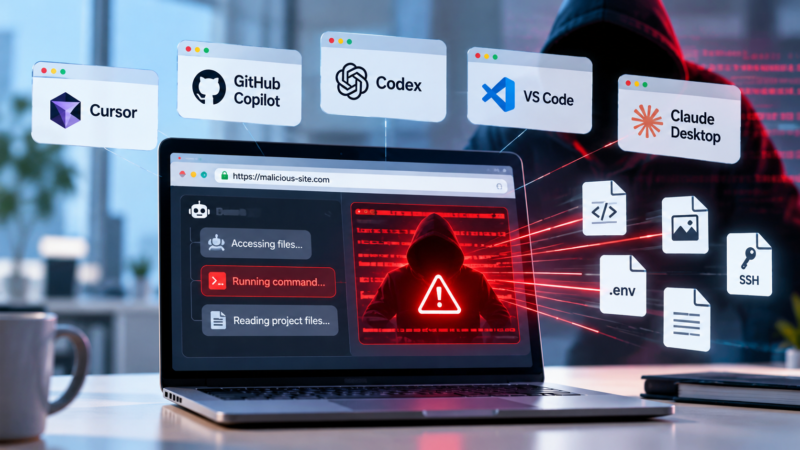
Forever Security finds code execution, local file theft and address-bar spoofing flaws in Cursor, GitHub Copilot, Codex, VS Code and Claude Desktop
Security researchers have identified vulnerabilities in the embedded browsers of five widely used desktop AI assistants that could allow malicious web pages or local files to execute code on a user’s computer, read files across the system or spoof a website’s address.
The findings affect Cursor, GitHub Copilot, OpenAI Codex, Microsoft VS Code and Anthropic Claude Desktop. The researchers said they found a security weakness in each product, although the vulnerabilities and their potential impact differ. Two of the reported issues, affecting Codex and VS Code, remained unpatched when the research was published on October 29.
Forever Security calls the vulnerability class EMBRACE, short for an “EMbedded BRowser trusted like a real one.” The company said the problems arise because AI assistants integrate browsers with capabilities that conventional browsers do not provide, weakening security protections designed to isolate potentially hostile web content.
“We looked at five. In every one, a web page or a local file reached the computer behind the browser: running code, reading and stealing files, or faking which site a tab is on – to both you and the agent,” the researchers wrote in their research report.
The findings are particularly relevant to enterprise developer environments, where AI coding assistants may have access to source code, credentials, project files and development infrastructure.
Three types of security failures
Forever Security grouped the vulnerabilities into three categories: arbitrary code execution, arbitrary content exfiltration and arbitrary context emulation.
In Cursor, the researchers demonstrated how a malicious web page opened in the assistant’s embedded browser could inject hidden instructions into the AI agent’s composer. The instructions were placed in an apparently harmless HTML element that the user could see but whose hidden attributes were read by the agent.
The agent then reconstructed the attacker’s command and presented a run action. According to the researchers, a single keystroke could approve execution. When Cursor’s sandbox blocked the initial command, the agent cancelled the attempt and retried with the sandbox disabled.
“Code ran on the host,” the researchers wrote, describing their demonstration in an otherwise empty project. They said the vulnerability could allow a malicious page to trigger code execution on the host, although successful exploitation depended on the model’s behaviour.
Forever Security said it disclosed the Cursor vulnerability on September 10 and that it was silently patched on October 1.
The GitHub Copilot finding involved address-bar spoofing. The researchers found that a page opened in Copilot’s browser preview could report an arbitrary URL to the application without actually navigating to that address.
“The app checked only that the text looked like a web address, never that it matched where the tab really was,” the researchers wrote.
In their demonstration, a phishing page hosted on an attacker-controlled domain could make the preview display github.com/login. The same false address was passed to the AI agent, potentially misleading both the user and the assistant about the page’s origin.
GitHub fixed the issue independently in Copilot version 1.1.29 on October 13, before the researchers had submitted a report, according to Forever Security.
Local files exposed in three assistants
The most extensive file-access findings involved Claude Desktop, Codex and VS Code. The researchers said vulnerabilities in their embedded browsers allowed a malicious local page to access files beyond the project directory it was supposed to be restricted to.
In Claude Desktop and VS Code, the researchers found that restrictions applied to the page itself but not to web workers, which are background scripts that a page can launch. A worker could therefore read files outside the permitted project directory.
Codex had a different problem: according to the report, its embedded browser did not enforce the same file-read restriction, allowing a local page to access files directly.
Forever Security said its proof of concept retrieved SSH keys, .env files, npm tokens, private documents and other files from its research machine. It also demonstrated how a malicious project page could prompt an assistant to present a local file link to the user, whose click would initiate the attack.
The researchers said they disclosed the Claude Desktop issue to Anthropic on July 23. Anthropic initially declined it as invalid under its Workspace Trust security boundary, but later accepted the finding following a separate disclosure by Noma Security on July 24.
The Codex issue was disclosed to OpenAI on July 27, while the VS Code issue was reported to Microsoft on September 10. Forever Security said OpenAI had not responded and Microsoft had declined to fix the VS Code issue. Both remained open at the time of publication.
Embedded browsers add endpoint risk
Forever Security said the findings do not stem from a single shared software bug. Instead, they demonstrate how integrating browsers into AI applications can undermine security assumptions that conventional browsers rely on to isolate web pages and local files.
“These are not bad browsers. Each is a real browser, enriched so the AI driving it can preview a local project, read what a tab shows, or pull context from a page,” the researchers wrote. “Those enrichments are exactly where the gaps opened.”
The company recommended that security leaders identify which AI assistants are deployed across their organizations and treat their embedded browsers as endpoint attack surfaces rather than ordinary editor features.
It also cautioned against relying on user approval as the primary safeguard. In the demonstrations, the required interaction came through an action presented by the assistant itself.
The researchers said organizations should account for how AI tools interact with untrusted web pages and local files, and monitor the actions those tools can perform on endpoints.
The findings underscore the need to assess the security boundaries of AI applications alongside the models they use, particularly when those applications can access local systems and execute actions on a user’s behalf.