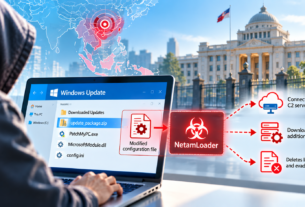
The toolkit installs rogue remote-access clients on customer endpoints, targets technicians’ authenticated sessions and can use compromised management consoles to distribute malicious payloads to other managed devices.
A newly identified malware toolkit is abusing ConnectWise ScreenConnect remote-support sessions to move from managed customer endpoints to the workstations of IT support technicians, potentially giving attackers access to multiple environments administered by managed service providers (MSPs).
The toolkit, identified as SCKit, installs unauthorized ScreenConnect clients on compromised customer devices and deploys a component called RelayTrap that targets technicians connecting to those endpoints. It also attempts to steal authenticated ScreenConnect management-console sessions from technicians’ browsers, which attackers can use to distribute malicious payloads to other managed devices.
Microsoft Threat Intelligence, in a November 13 analysis, said it had confirmed activity reported by ConnectWise involving unauthorized access to cloud-hosted ScreenConnect instances belonging to MSPs. Microsoft also observed attackers abusing the legitimate remote-support application to install unauthorized remote-access clients and deploy SCKit on customer-managed endpoints.
The attack exploits the trust relationship between MSPs and the systems they manage. Rather than relying solely on access to an individual customer endpoint, SCKit is designed to use technician connections and management-console privileges to extend access to additional devices.
Rogue ScreenConnect clients establish separate access
Microsoft’s investigation found that attackers use commands issued through compromised ScreenConnect management instances to execute Windows command-line processes on customer endpoints.
These commands download and silently install an additional ScreenConnect client from attacker-controlled infrastructure. The new client connects to an attacker-operated ScreenConnect instance, creating a remote-access channel independent of the MSP’s legitimate management environment.
Attackers subsequently deploy a batch launcher that retrieves a PowerShell decoder. The decoder downloads, decrypts and extracts the SCKit toolkit using device-specific cryptographic material derived from the endpoint’s Windows MachineGuid.
The toolkit establishes persistence through Windows scheduled tasks and registry Run entries. Its components are stored under the Windows ProgramData directory and include scripts responsible for monitoring ScreenConnect clients, deploying additional payloads and maintaining unauthorized access.
RelayTrap targets connecting technicians
The toolkit’s RelayTrap component is designed to move the attack beyond the initially compromised customer endpoint.
Microsoft found that RelayTrap monitors ScreenConnect client services installed on the affected device. It examines their executable paths and connection parameters, then builds a malicious replacement client using libraries from the existing ScreenConnect installation.
When an IT technician subsequently connects to the compromised endpoint using a vulnerable ScreenConnect host client, RelayTrap attempts to deliver a staged batch launcher through that session.
The launcher retrieves the SCKit decoder and initiates the toolkit’s deployment process on the technician’s workstation.
Microsoft also identified functionality designed to steal authenticated ScreenConnect management-console sessions from technicians’ browsers.
The malware searches Chrome, Edge, Opera and Opera GX profiles for authentication cookies, including those named .ASPXAUTH. It attempts to extract the cookies from browser databases and scan browser process memory for authentication data.
The toolkit uses Windows Data Protection API and AES-GCM routines to decrypt browser-stored cookie values.
A separate component, ToolboxRelayUploader.exe, is designed to combine stolen authentication cookies with the required anti-forgery and access tokens, enumerate accessible ScreenConnect sessions and upload malicious payloads through the platform’s Shared Toolbox.
This could allow attackers to distribute payloads and execute commands on additional managed devices, depending on the permissions associated with the compromised technician account.
Microsoft’s analysis describes the technician-targeting mechanism as part of SCKit’s propagation design. It does not establish that every connection to an infected endpoint results in a successful compromise of the technician’s workstation.
Initial access and client vulnerability are separate issues
The investigation has identified two distinct security concerns involving ScreenConnect.
ConnectWise’s investigation identified potential abuse of independently developed third-party extensions, including RMM+, RMM Plus and Labtech Plus, as a possible initial-access route.
One issue involves an authentication flaw in RMM+ versions 1.0.31 and 1.0.32. According to ConnectWise, when an access key had not been configured, the extension could accept an empty key, potentially allowing unauthorized callers to submit remote commands through its API without normal ScreenConnect user authentication.
However, the initial access method used in the reported campaign remains under investigation.
Separately, RelayTrap exploits a client-side file-transfer and execution issue addressed in ScreenConnect version 26.6.5, released on September 8, 2026. The update fixes CVE-2026-84869, which carries a CVSS score of 9.9.
ConnectWise said the updated client blocks the endpoint-to-technician transfer technique used by SCKit. Updating the management console alone does not necessarily ensure that technicians’ individual clients have received the fix.
ConnectWise had identified approximately 400 partner environments with at least one of the affected third-party extensions installed. The presence of these extensions does not establish that those environments were compromised.
Microsoft recommends investigating technician workstations
Microsoft cautioned that removing an unauthorized ScreenConnect client is insufficient to eliminate the threat. SCKit establishes additional persistence mechanisms, targets browser authentication data and can leave unauthorized remote-access connections behind.
The company recommends investigating both customer endpoints and technician workstations that connected to potentially compromised devices.
Its mitigation guidance includes updating ScreenConnect technician clients to version 26.6.5 or later, disabling affected third-party extensions, revoking exposed ScreenConnect and associated identity-provider sessions, rotating compromised credentials and reviewing administrative accounts and permissions.
Microsoft also recommends examining scheduled tasks, registry Run entries, unauthorized remote-access clients and Microsoft Defender Antivirus exclusions for evidence of persistence.
Organizations using Microsoft Defender XDR can use the advanced hunting queries published alongside the research to identify suspicious PowerShell execution, connections to known campaign infrastructure, browser-cookie access and RelayTrap-related persistence mechanisms.
Microsoft has also published network indicators, file hashes and rogue ScreenConnect client identifiers to help security teams investigate potential exposure.